The calm way to split

Split the bill. Keep the moment.

Splitzy tracks the expenses you share with friends, roommates, or your partner. Scan a receipt, split it your way, and settle up — no spreadsheets, no mental math.

Free during the beta. Coming soon to Google Play and the App Store.

A hand photographing a restaurant receipt with a phone, wine and olives on the table 6 items · $188.50 — read

Tuesday, 9:47 p.m. The receipt is already read.

№ 01The headliner

The receipt reads itself.

Point your camera at the bill. Splitzy pulls out every line — items, taxes, tip, total — and double-checks the math before anything touches your balances.

Then split it line by line: tag your items, leave the shared ones — anything unassigned is split by everyone. Dinner for six, settled before the coats are on.

On Android, the scanner finds the edges and captures by itself. Too dark? It asks for another shot — no silent guesses.

№ 02Your way

Four ways to make it fair.

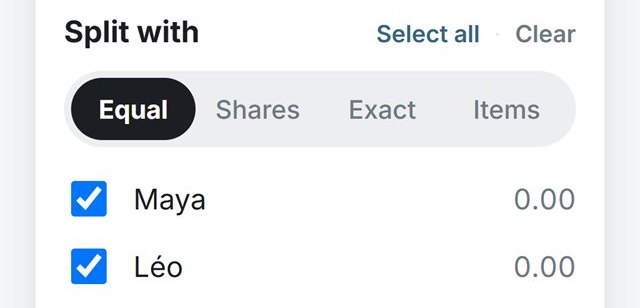
One bill rarely fits one rule. Pick the split that matches the moment:

  • Equal — one tap, everyone even.
  • Shares — when someone counts double.
  • Exact — to the cent, with a live “Remaining” counter.
  • Items — assign each line to the right person.
Splitzy split modes: Equal, Shares, Exact and Items, with group members below

The split, mid-edit.

№ 03The quiet advantage

While everyone else guesses, you’ll know.

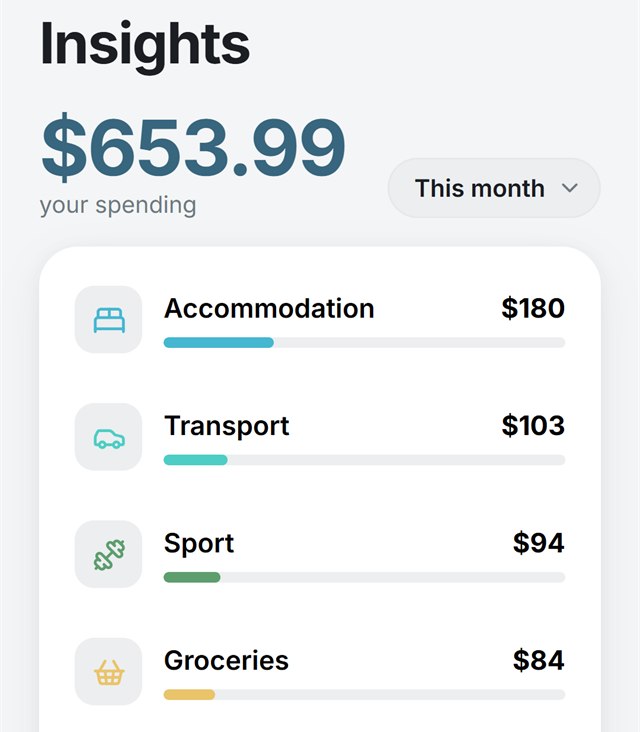
Every split lands in your own running total — your share of the group dinner right next to your morning coffee. Insights sorts it all by category and by month, in your home currency.

Personal expenses stay private, just for you. So at the end of the month there’s no mystery — just a clear picture of where it went.

Splitzy Insights: this month’s spending totalled, sorted by category

The month, sorted.

№ 04Everywhere you spend

From the group trip to your morning coffee.

  • Settle up simply — Splitzy works out the simplest set of payments to get everyone square, and can share your Interac contact with only the people who owe you.
  • Made for travel — add expenses in CAD, USD, or EUR; everything converts into your home currency.
  • Bilingual by design — English and Québec French, right down to how amounts are written: 2 630,52 $.
  • A group for everything — the trip, the apartment, the two of you. One link invites everyone.
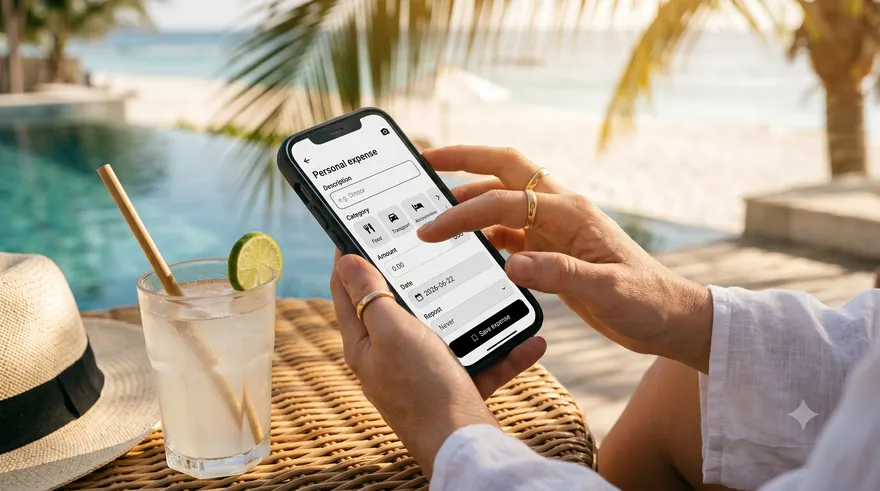
Logging a personal expense in Splitzy on a phone, poolside with a straw hat and a cold drink

The Personal tab, poolside.

Field notes

Get the most out of Splitzy

Eight small habits that keep groups tidy — all grounded in how the app actually works.

Confirm your home currency first

Insights totals everything in your home currency (CAD, USD, or EUR). Splitzy guesses it from your device — confirm it when you first sign in, and change it anytime in the You tab.

Give the scanner a clear view

Flatten the receipt, find decent light, fit the whole thing in the frame, and hold steady — on Android it captures by itself once the edges lock.

In Items mode, assign only the personal stuff

Any line with nobody selected is shared by everyone automatically. Assign the personal items and leave the common ones alone.

Pick the split mode that fits

Equal for an even split, Shares when someone counts double, Exact when you know each amount — the live “Remaining” counter tells you when it balances.

Set rent to repeat — once

Weekly, every 2 weeks, or monthly. Deleting one entry later asks whether to keep repeating or stop — past entries always stay.

Guard the invite link in big chats

Turn on “Review who joins” so each newcomer waits for your OK — and reset the link if the old one traveled too far.

Share your Interac so money finds you

Add your Interac contact in the You tab, then flip “Share my payment info” per group — only people who owe you will see it. Tap “Record as settled” once the transfer lands.

Archive finished groups, don’t delete

“Archive for me” hides the group and blocks new charges to you while past spending still counts in Insights. “Delete for everyone” is permanent — a true last resort.

Where to find it

Take Splitzy with you.

Web app

Live now

Nothing to install — Splitzy runs right in your browser, on your phone or laptop. Sign in and your groups follow you everywhere.

Android

Open beta

Install the beta APK directly while our Google Play listing is being prepared. Your phone may ask you to allow installs from your browser.

Download the beta (.apk)

Google Play, coming soon.

iPhone

Coming soon

Splitzy is on its way to the App Store. In the meantime the web app runs beautifully in Safari — add it to your Home Screen.

Open in Safari

App Store, coming soon.

Balances, not your wallet.

Splitzy is not a payment processor — no money moves through the app, and it never stores a card. There are no ads, and your data is never sold.

Read the privacy policy

Ready to stop doing math at the table?

Set up your first group in a couple of minutes.

Splitzy, on your phone. Get the app